
CREATION / THE DIRECTOR’S DESK
Big ideas.
Beautifully
under control.
Build the story you want to tell, then make every scene work harder. Visual direction, voice, branding and personalized variations belong in the same creative process.
Explore the creative workspace“Let them picture their stay.”
Pre-arrival inspiration · A relevant next momentIllustrative storyboard · AI-generated campaign artwork · Select a scene to explore
Shape the story,
scene by scene.
INSIDE THE STUDIO
Your creative direction.
Every detail.
Shape scenes, scripts, voice, branding and motion in one visual workspace.
PERSONAL, RIGHT DOWN TO THE WORDS
Give every story
its own voice.
Write the message, add dynamic values and create voice variations for different recipients.
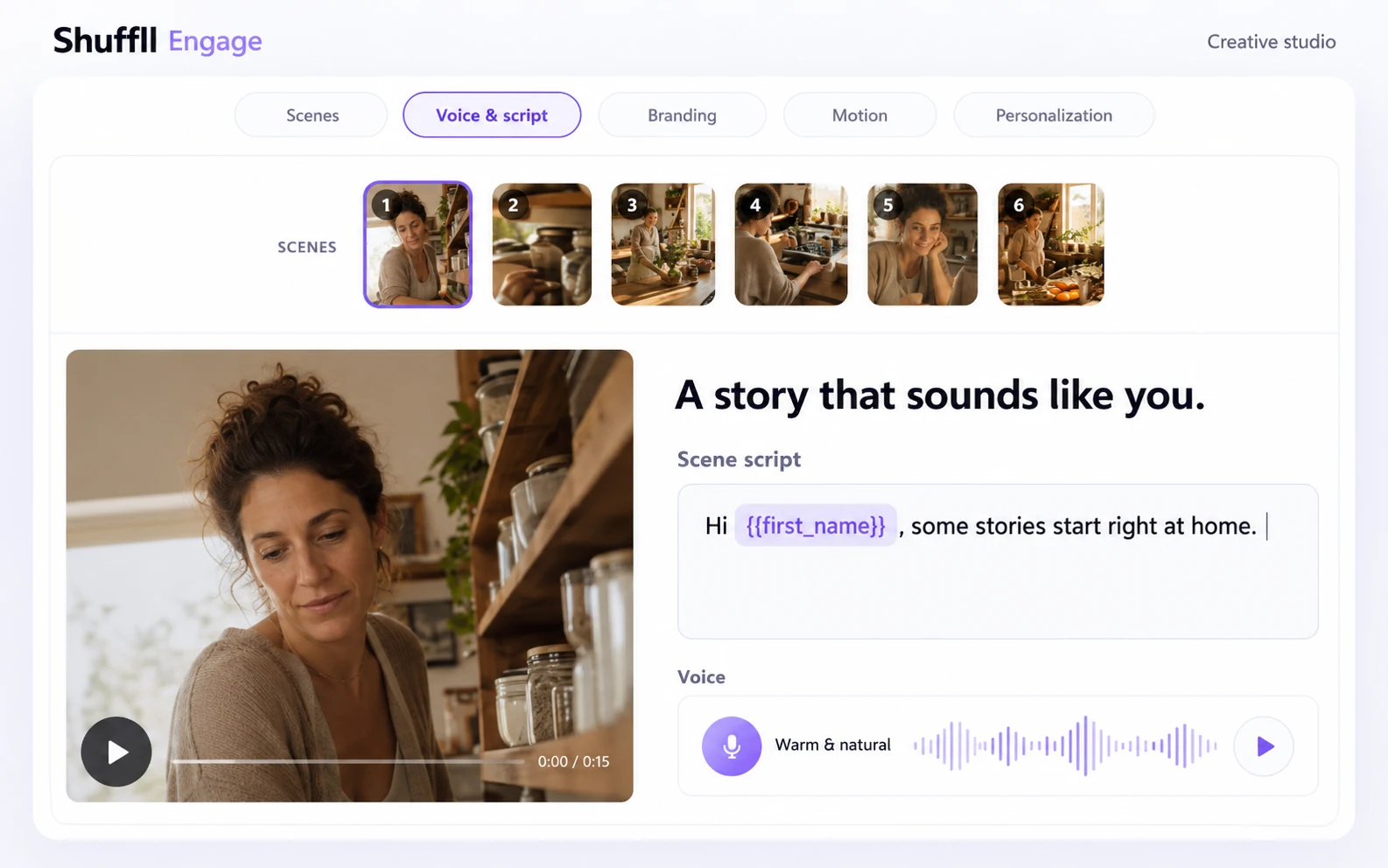
ONE SCENE. ONE CONNECTED PREVIEW.
A story that
sounds like you.
Hi {first_name},
A little inspiration, chosen just for you.
Interactive illustration using prepared artwork and an edited staging capture. Changes are simulated; no audio or video is generated or played.
See the edited staging workspace
Shape scenes, scripts, voice, branding and motion in one visual workspace.
Real staging capture, edited for clarity. Example content.
THE DETAILS MAKE THE DIFFERENCE
Built for the
whole picture.
Creative tools, personalization, campaign operations and integration access. Explore how the pieces fit.
Personalization beyond a name
Use recipient attributes and audience rules to select scene and voice variants, personalize script values, or skip a scene. Keep a default for recipients who do not match a rule.
AI creation with creative control
Develop the story, shape visual scenes, work on scripts and voice, apply branding and prepare video output in a connected creative workspace.
Campaigns across the customer journey
Build welcome stories, loyalty moments, product discovery and other segment-specific campaigns. Manage audiences, eligibility, schedules and delivery outcomes. Available delivery channels depend on workspace configuration.
Your brand. Your workspaces.
Organize brands and customer workspaces with permissions and scoped access. Discuss the partner and white-label configuration that fits your organization.
Video in your application
Use video outputs in your workflows and explore the embeddable player with configurable branding and a call to action. Ask about the delivery and playback configuration for your use case.
API and MCP, together
Connect through REST or a compatible MCP client. Operations are subject to workspace permissions and release availability. The public API documentation describes the integration contract; contact us to confirm the capabilities needed for your rollout.
Creative foundations
What belongs in a reusable template?+
Scenes, script, voice direction and brand choices form a shared foundation. Personalization rules can select relevant variations for different recipients.
Can our brand remain consistent across variations?+
Keep the brand foundation shared while tailoring the scenes and message that need to change. Review the resulting variations before rollout.
From creative to campaign
How does creation connect to personalization?+
Recipient attributes and audience rules determine which configured scene or voice variation applies. Dynamic script values make the prepared message personal.
What should we review before delivery?+
Review representative recipients, the default creative, available media and export readiness. Confirm the supported workflow and configured delivery channel for your workspace.