
SHUFFLL ENGAGE — PERSONALIZED VIDEO AT SCALE
The creative.
The personalization.
The whole campaign.
Create personalized video campaigns based on customer interests, behaviors, and audience segments. Tailor content across customer journeys, including e-commerce and product videos, and integrate it into your existing workflows through API and MCP.
Explore the interactive product showcase →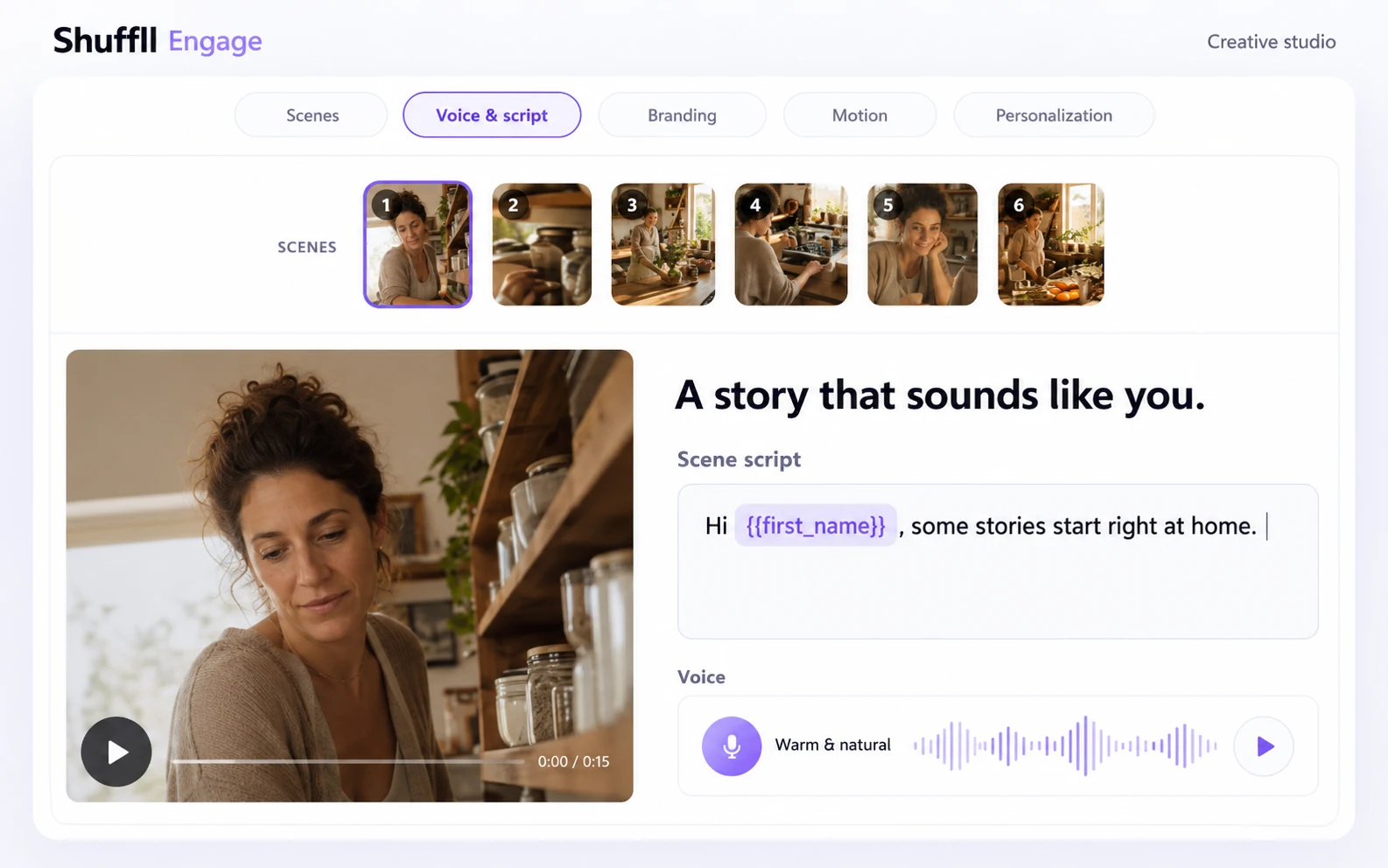
Real staging capture, edited for clarity. Example creative and script.
CREATIVE WORKSPACE
AI video creation with creative control
Develop a storyline, shape visual scenes, work on scripts and voice, apply branding and prepare video output in a connected creative workspace.
- Visual scene direction and reference images
- Script and voice controls
- Branding and reusable creative templates
PERSONALIZATION
Change the story, voice and message
Recipient attributes and audience rules can select different scene and voice variants, personalize script values, or skip a scene. Recipients who do not match a rule retain the configured default.
Build audience-specific stories from a common creative foundation, with explicit rules and a reliable default.
CUSTOMER JOURNEYS
Connect creative to campaign operations
Use welcome stories, loyalty moments, product discovery and other segment-specific campaigns. The campaign workspace brings audiences, eligibility, batches, schedules and delivery outcomes together.
Connect the campaign to your configured delivery channels and follow each stage from audience preparation to delivery.
RESULTS & ANALYTICS
Understand the outcome
Inspect available video results, recipient analytics and campaign delivery status. Keep generation, sending, receipt and engagement evidence distinct.
See which recipients have a video ready, which deliveries are scheduled, and which outcomes need attention.
PARTNER WORKSPACES
Your brands. Your access model.
Organize brands and customer workspaces with scoped permissions. Discuss the partner and white-label configuration that fits your organization.
Explore video outputs and the embeddable player with configurable branding and a call to action for your application.
API + MCP
Connect applications and AI assistants
The REST API base is https://engage.shuffll.com/api. The Streamable HTTP MCP endpoint is https://engage.shuffll.com/mcp.
Use authorized workspace access to discover operations, work with templates and campaigns, explicitly request supported generation, and inspect jobs and results.
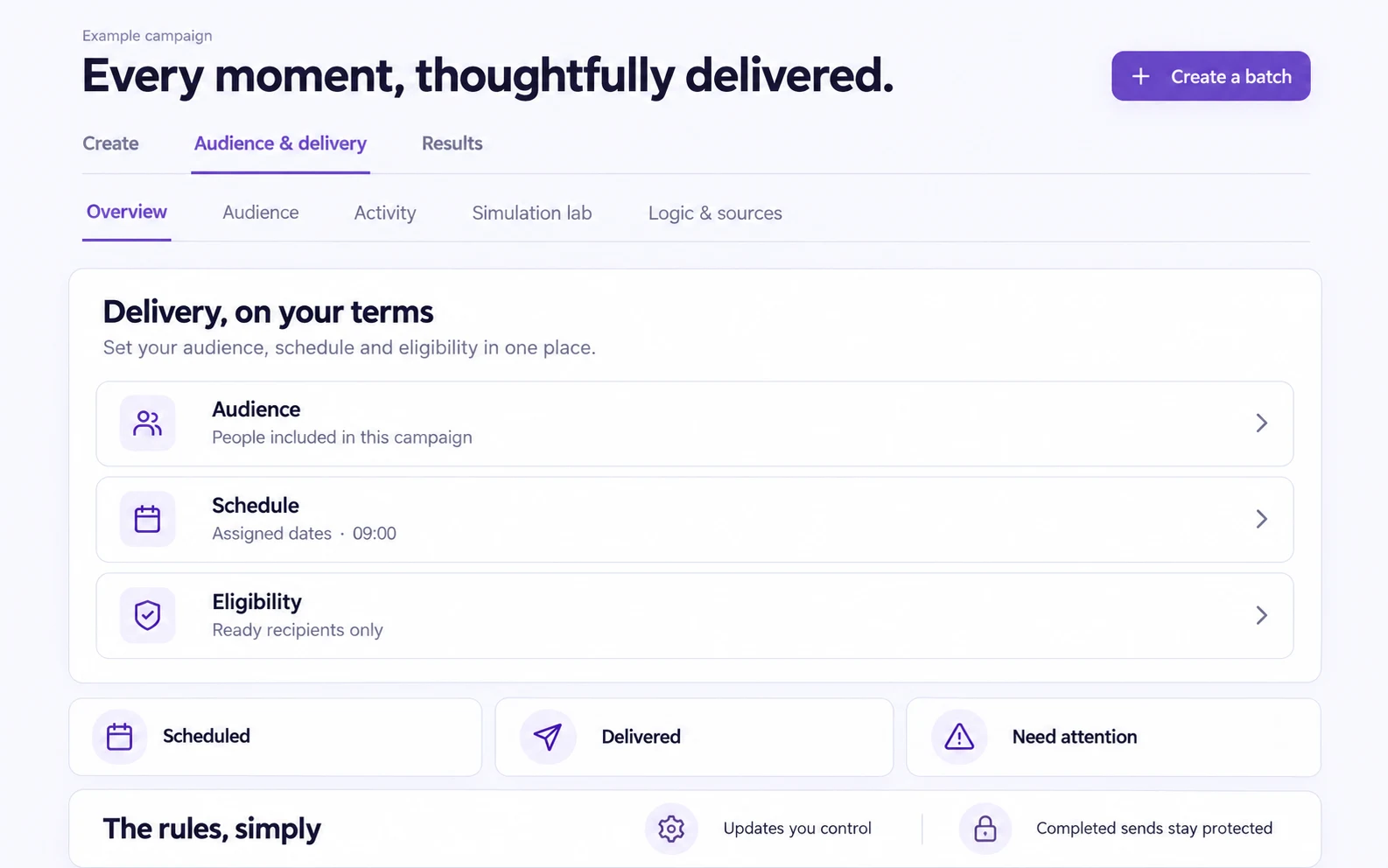
Edited staging delivery view. Status categories shown without customer performance claims.
Explore the product in depth.
Audience personalization, interactive features, real-time studio rendering, automated workflows, integrated delivery and export webhooks.
Open the product reference →See Engage with your own use case.
Start with the customer moment, audience signals and creative requirements. We will walk through the workflow and confirm the capabilities your rollout needs.
Let’s build your next customer moment →